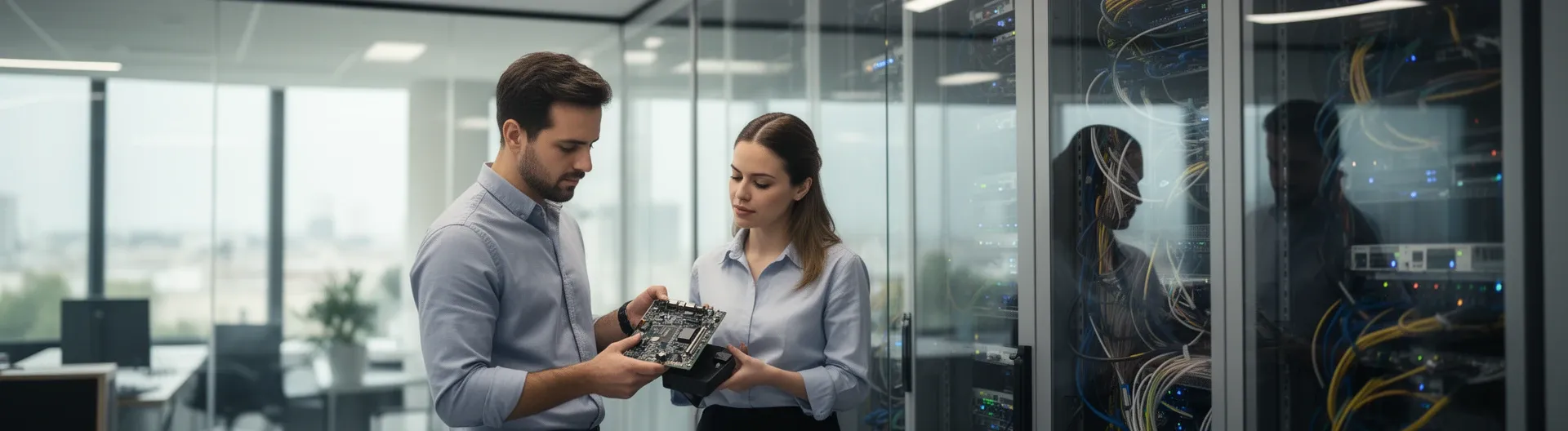

IT Support Pinto covers the full range of day-to-day technology needs for local businesses: helpdesk for users, device maintenance, network stability, email, and security — delivered remotely or on-site, with defined response times and a clear service agreement.
Many SMEs in Pinto operate without a dedicated internal IT team, which means a single server failure or a ransomware incident can halt operations for hours or days. The problem is not a lack of technology — it is the absence of a structured support model that prevents issues before they escalate and resolves them quickly when they do occur.
Impulso Tecnológico, a Managed Services Provider with over 25 years of experience supporting organisations across Spain, addresses this gap with a model built around an initial full audit, unlimited remote helpdesk, and on-site visits with guaranteed response windows. The result is predictable costs, fewer disruptions, and employees who spend their time working rather than waiting for IT to be fixed.
What IT Support in Pinto actually includes (helpdesk, devices, and networks)
Before signing any support contract, it is worth establishing exactly what is — and is not — included. IT support for SMEs in Pinto typically spans three interconnected layers: user helpdesk (the human side), endpoint management (the device side), and network and communications infrastructure. Providers that only cover one or two of these layers leave gaps that generate hidden costs.
At Impulso Tecnológico, every engagement begins with a complete audit covering antivirus status, backup copies, servers, communications infrastructure, and a full device inventory. This baseline removes guesswork and ensures the support model is sized to the real environment — not a generic template.
| Support Area | What it covers | Typical delivery method | Included in managed IT support? |
|---|---|---|---|
| User helpdesk | Troubleshooting, permissions, onboarding, software issues | Remote (primary), on-site (escalation) | Yes — unlimited remote |
| Endpoint management | PCs, laptops, printers, standard configurations | Remote + scheduled on-site | Yes |
| Network and connectivity | LAN/WAN, Wi-Fi, firewall, internet access | Remote + on-site for hardware | Yes |
| Email and communications | Microsoft 365, mail flow, access settings | Remote | Yes |
| Security and backups | Antivirus, patching, backup verification | Remote (automated + manual checks) | Yes |
| Server infrastructure | Physical/virtual servers, storage, monitoring | Remote + on-site (<4 h for breakdowns) | Yes (with defined SLA) |
Helpdesk coverage: tickets, user guidance, and onboarding support
The helpdesk is the most visible part of any IT support service — and the one that most directly affects employee productivity. Effective IT helpdesk services go beyond fixing broken software: they cover user account management, permission changes, new employee onboarding (device setup, access provisioning, email configuration), and day-to-day guidance on business applications.
For SMEs in Pinto that lack an internal IT department, this function is particularly critical. Impulso Tecnológico provides unlimited remote support through a dedicated remote maintenance system, meaning users can log tickets without worrying about per-incident billing. Onboarding support — setting up a new workstation, configuring access rights, or migrating a user profile — is handled within the same service framework, reducing the administrative burden on business owners and managers.
Devices and workplace IT: PCs, laptops, printers, and standard configurations
Endpoint reliability is the foundation of daily operations. A misconfigured laptop, a printer that drops off the network, or an outdated driver can waste more cumulative hours per month than most business owners realise. Managed IT support for SMEs in Pinto should include proactive endpoint management: standardised configurations, software deployment, driver and OS updates, and hardware fault diagnosis.
Impulso Tecnológico's service model covers organisations from approximately 3 to 150 PCs and users — a range that fits the majority of SMEs in the Pinto area. The initial audit inventories every device, flags those approaching end-of-life, and establishes a baseline configuration standard. On-site response for non-server endpoints is guaranteed within 8 business hours of ticket registration, ensuring that hardware faults do not become prolonged outages.
Networks and business communications: connectivity, email, and access settings
Network instability and email failures are among the most disruptive IT incidents for SMEs, yet they are often treated as secondary concerns until something breaks. A well-structured IT support contract should include LAN and Wi-Fi management, internet connectivity monitoring, firewall configuration, and email platform administration — particularly for organisations running Microsoft 365.
Impulso Tecnológico configures and maintains access settings for both internet and email, aligning security parameters with market standards and each client's specific requirements. This includes managing user permissions, controlling external access, and ensuring that email routing and spam filtering are correctly set. For businesses with remote or hybrid workers — increasingly common in the Madrid metropolitan area, including Pinto — stable and secure remote access configuration is also part of the network and communications scope. You can find a broader view of this approach in our article on IT maintenance for businesses.

How we handle incidents: from ticket to resolution
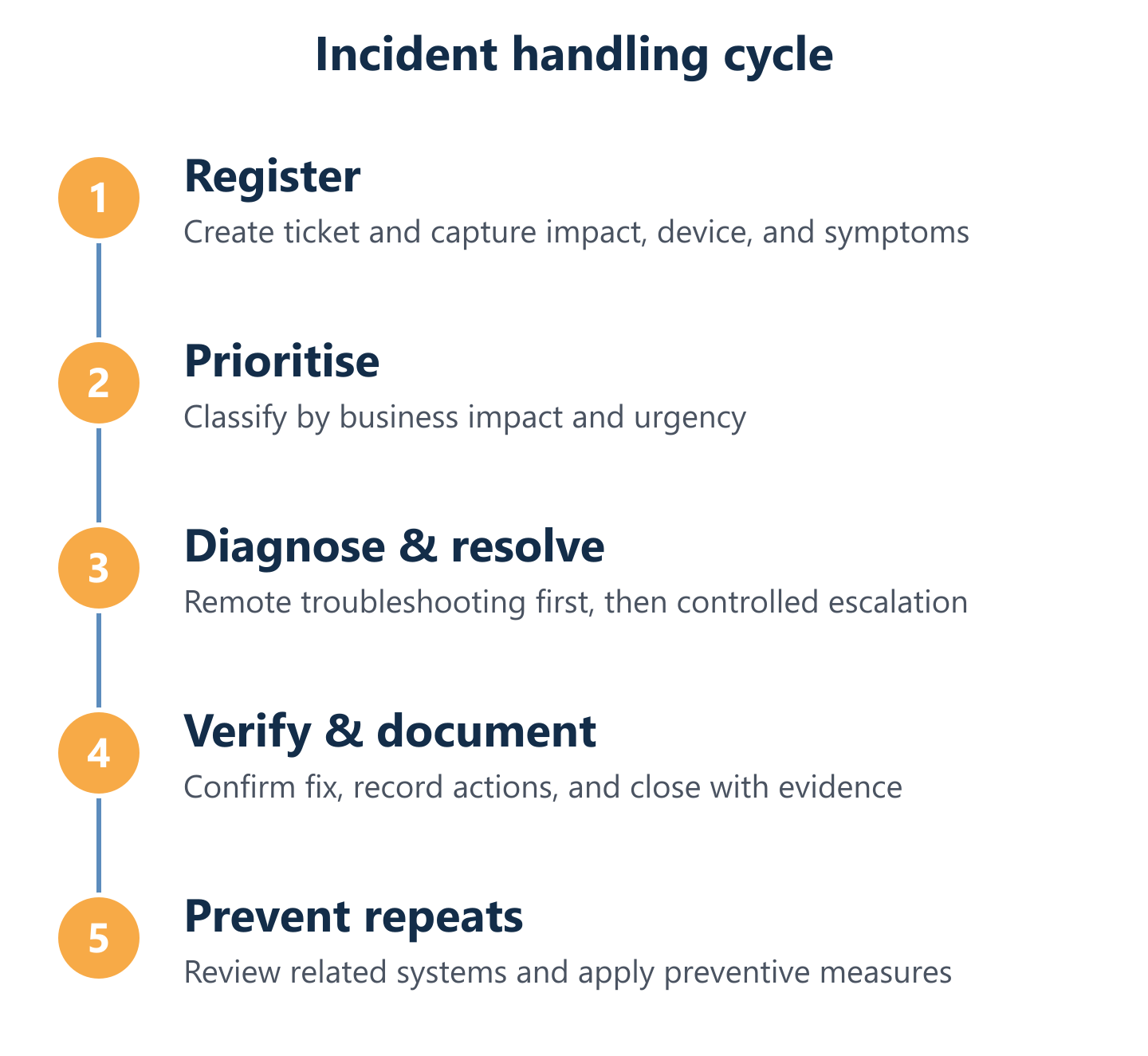
The difference between a reactive IT support provider and a managed service partner is visible in the moment an incident occurs. A reactive provider waits for a call and sends someone. A managed service partner has a documented process: every incident is registered, classified by impact, diagnosed systematically, resolved with documentation, and reviewed to prevent recurrence.
At Impulso Tecnológico, incident management follows a structured workflow designed to minimise downtime and provide full traceability. Critically, every time the team assists with an issue, they also review the wider system environment — not just the reported fault. This approach catches secondary problems before they escalate into separate incidents, reducing the total number of support interventions over time. With over 4,000 IT tickets resolved annually across our client base, this process is operationally proven rather than theoretical.
- Registration: The incident is logged via the ticketing system, capturing device, user, impact description, and time stamp.
- Classification: Priority is assigned based on business impact — server or connectivity failures are treated as critical; individual device issues as standard.
- Remote diagnosis: The support team connects remotely to diagnose the root cause, resolving the majority of incidents without an on-site visit.
- Escalation (if required): If remote resolution is not possible, an on-site visit is scheduled within the contracted SLA window.
- Resolution and system review: The fault is fixed and the surrounding environment is checked for related risks.
- Documentation and report: A detailed report is issued covering the solution, actions taken, and any recommendations.
- Follow-up: Recurring or pattern incidents trigger a preventive review to address the underlying cause.
Ticket-to-resolution workflow: what happens after you report an issue
From the moment a user submits a ticket, the process should be transparent and predictable. At Impulso Tecnológico, ticket registration captures the essential context — affected device, user, nature of the problem, and business impact — so the support team can begin diagnosis without back-and-forth clarification calls. This structured intake reduces the time between report and first action.
Classification determines whether the incident is handled immediately (critical: server down, connectivity loss) or queued as standard (software error, peripheral fault). Each category maps to a defined response window, so users and managers always know what to expect. The IT incident management and ticketing system provides a full audit trail, which is available to the client for review and forms the basis of periodic reporting.
Remote-first troubleshooting: faster recovery with controlled escalation
Remote IT support with on-site visits as an escalation path is the most efficient model for SMEs: the majority of incidents — software faults, configuration errors, user access issues, email problems — can be resolved in minutes via a secure remote connection, without waiting for a technician to travel to the site.
Impulso Tecnológico's remote maintenance system enables the support team to connect directly to the affected device, apply fixes, and verify resolution in real time. When on-site intervention is genuinely required — hardware failure, physical network fault, server room work — response windows are contractually defined: less than 4 hours for server breakdowns, and less than 8 business hours for other endpoints. This escalation structure means that critical infrastructure is never left waiting for a next-day appointment.
Reporting and follow-up: what you receive after the incident is closed
Closing a ticket is not the end of the process — it is the point at which the most valuable information is generated. After each resolved incident, Impulso Tecnológico provides a detailed report covering the fault, the actions taken, the resolution applied, and any observations about the wider system state identified during the intervention.
This documentation serves two purposes. First, it gives business owners and managers full visibility into what happened and why — removing the "black box" perception that many SMEs associate with outsourced IT. Second, it feeds into a pattern analysis: if the same type of incident recurs across multiple tickets, the team initiates a preventive review to address the root cause rather than repeatedly fixing the symptom. Permanent consultancy access — included in the service — means clients can ask follow-up technical questions without opening a new incident.
SLAs, escalation paths, and proactive security for business continuity
An IT support contract without defined SLA response times is, in practice, a best-effort arrangement. For SMEs in Pinto, where IT downtime directly affects revenue and customer commitments, SLAs are not a bureaucratic formality — they are the mechanism that converts a support relationship into a business continuity guarantee.
Impulso Tecnológico structures its IT SLA response times around the actual risk profile of each environment. Server and connectivity failures — the incidents with the highest operational impact — carry a response window of under 4 hours. Standard endpoint and software issues are covered within 8 business hours. Beyond reactive response, the service integrates preventive monitoring and security maintenance to reduce the frequency of incidents in the first place.
- Defined response windows: Server breakdowns under 4 hours; other devices under 8 business hours — both from ticket registration.
- Escalation clarity: Remote resolution is always attempted first; on-site escalation is triggered automatically when remote intervention is insufficient.
- Preventive monitoring: Systems are reviewed proactively to detect anomalies before they cause downtime.
- Security alignment: Safety settings are configured to market standards and adapted to each client's specific requirements and risk profile.
- Multi-layer security: Endpoint protection, network security, and backup solutions aligned with certified technology partners including Sophos, Fortinet, and Veeam.
- Contract flexibility: Monthly fixed packages, flat-rate models, or pay-per-visit structures — matched to the organisation's size and budget.
- Transparent cost control: SLAs and service scope are agreed in writing, eliminating unexpected charges and enabling accurate IT budgeting.
For a broader view of how preventive and reactive support combine in practice, our guide to preventive IT maintenance covers the methodology in detail.
SLAs and escalation: response times, urgent handling, and who gets involved
SLAs define the maximum acceptable time between incident registration and the first substantive response — not just an acknowledgement email. For Impulso Tecnológico clients in Pinto, the escalation path is straightforward: remote support team handles initial diagnosis and resolution; if the issue cannot be resolved remotely within the response window, a field technician is dispatched.
Urgent cases — server failures, total connectivity loss, security incidents — bypass standard queues and are handled immediately. This prioritisation is built into the ticketing system rather than relying on the client to argue for urgency. For organisations that want to supplement an existing internal IT team with occasional specialist interventions, the same SLA framework applies, ensuring consistency regardless of how the support model is structured.
Preventive monitoring: reducing repeat incidents with early alerts and reviews
Reactive support fixes problems after they occur. Preventive monitoring reduces how often they occur in the first place. For SMEs in Pinto, this distinction matters: a server that fails without warning costs far more in lost productivity than one whose warning signs were caught and addressed during a scheduled maintenance window.
Impulso Tecnológico's preventive approach includes scheduled system reviews, automated monitoring alerts for hardware health and software status, and a protocol of checking the wider environment every time a support intervention takes place. Antivirus status, backup integrity, and network performance indicators are reviewed regularly — not just when a user reports a problem. This model is consistent with how we deliver IT maintenance in Arganda del Rey and other locations across the Madrid region.
Security and continuity: backups, patch management, access control, and endpoint protection
Managed cybersecurity and backups are not optional add-ons — they are the baseline for any IT environment that handles business data. Impulso Tecnológico configures and maintains four core security layers for SME clients: endpoint protection (antivirus and anti-malware, aligned with Sophos solutions), patch management (OS and application updates applied on a defined schedule), backup verification (ensuring recovery points are valid and restoration has been tested), and access control (user permissions, internet access policies, and email security settings).
For businesses handling sensitive data or operating under GDPR obligations, these controls also form part of the compliance posture. Security settings are adapted to each client's risk profile and operational requirements — not applied as a one-size-fits-all configuration. A similar approach underpins how we deliver IT support in Ciudad Real and other locations where SME security needs vary significantly by sector.
Choosing IT Support Pinto comes down to one practical question: can your current setup guarantee that a server failure at 9 a.m. on a Monday will be resolved before your team loses a full working day? If the answer is uncertain, the starting point is an audit — not a sales call. Impulso Tecnológico's onboarding process begins by mapping your real environment, agreeing on SLAs that match your risk tolerance, and identifying the quick wins that deliver measurable improvement within the first weeks of the engagement. Share your device count and main pain points, and we will identify which support model fits your organisation.