The network is the one piece of infrastructure users only notice when it breaks
Some services are designed to go unnoticed for years — and that's exactly what's expected of them. Enterprise network infrastructure is one of those. When it works, no one asks. When the WiFi drops in a meeting room full of clients, or the link between two sites starts losing packets during an important call, it's the only thing the business will remember for weeks.
At Impulso Tecnológico we design, deploy and maintain the complete network infrastructure of mid-sized companies: from the cabling running through the floor slabs to the perimeter firewalls, passing through corporate WiFi and inter-branch connectivity. We don't just sell hardware — we design architectures that will still be working in ten years, document them the way they should be documented, and stay around to maintain them. What other vendors call "turn-key installation" is, for us, the starting point.
We work with clients who have been through bad experiences before: cheap installers who left runs of cable unlabelled, office WiFi cobbled together with consumer routers, switches with no VLANs sitting in front of sensitive data. If that sounds familiar, you already know the real question is never "how much does a new network cost?" but "how much is the network I already have costing me?".

Structured cabling: the layer that will outlive your next office reform
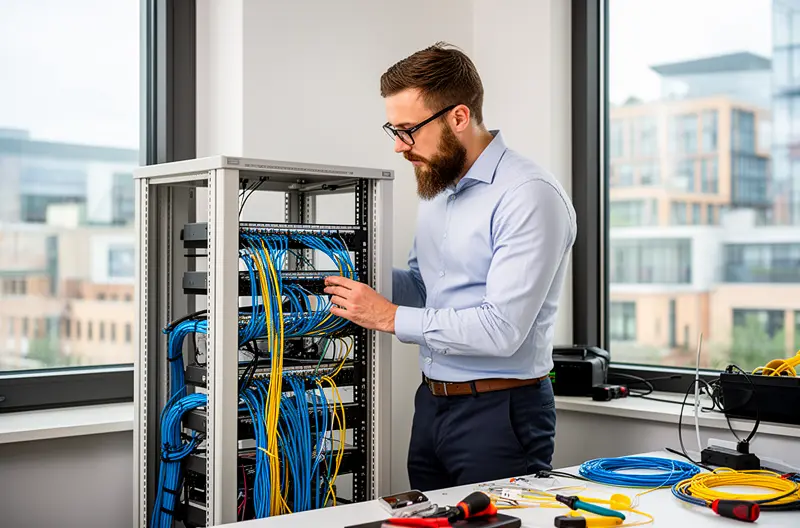
Cabling is the only part of the network you can't patch with a firmware update. It gets done once, properly — or three times, badly. That's why our minimum standard for new offices or full refurbishments is shielded Category 6A (Cat6A S/FTP), end-to-end certified, with industrial-grade patch panels and matching-brand patch cords. The materials premium over plain Cat6 sits around 15-20%, but the useful life goes from "until the next renovation" to "10-15 years with headroom for 10 Gbps".
When the scenario calls for it — distances longer than 90 metres, electromagnetic interference, inter-floor or inter-building links — we deploy single-mode optical fibre (OS2) for long runs and multi-mode (OM4/OM5) for campus. We splice on site with our own gear, terminate with LC duplex or MPO connectors as needed, and certify every run with an OTDR. The certification ships as a documented annex — with the test gear's serial number and date — because without certification there is no network.
For every project we deliver:
- Floor plans showing every outlet, panel and rack location.
- Logical network diagram with IP addressing, VLANs and routes.
- Consistent physical labelling across plans, panels, cables and switches.
- Fluke / Viavi certifications per outlet.
If you later need to expand, move a desk or swap a device, the documentation is where it should be — not in the head of a technician who no longer works with us.
Enterprise WiFi: surveyed coverage, not assumed
80% of corporate WiFi problems are not "signal strength" problems — they're problems of coverage design, channel assignment and client density. That's why any professional WiFi project at Impulso starts with a predictive coverage survey (Ekahau / Hamina) run against the actual building floor plans. The survey says where access points go, what power they run at, what channels they use and how many concurrent clients each zone supports. It's not a visual estimate.
We mainly deploy three access-point families:
- Aruba (HPE) Instant On or Aruba Central for mid-sized businesses. Excellent roaming, clean configuration, solid support. Our default recommendation when there's no vendor constraint.
- Cisco Meraki when the client already has a Cisco ecosystem or needs cloud-managed alerts in real time. More expensive to license, but the console is very powerful for multi-site environments.
- Cisco Catalyst 9100 when proper WiFi 7 is needed, with all the advanced features (MLO, Multi-RU, etc.) and a use case that actually exploits them.
After the survey comes deployment, configuration (WPA3 Enterprise with RADIUS for corporate users, isolated guest network, BYOD where applicable) and — most importantly — the post-installation site survey. We come back to the building with the laptop, the tools and the data from the initial study to verify reality matches the plan. Where it doesn't, we adjust. We hand it over signed off.
Network electronics and segmentation: the office shouldn't be one big broadcast domain
One of the situations we run into most often when inheriting other people's networks is the entire office on one flat network. Printers talking to servers talking to the meeting-room IP camera talking to the intern's laptop. When something gets infected or breaks, everything gets infected or breaks at the same time.
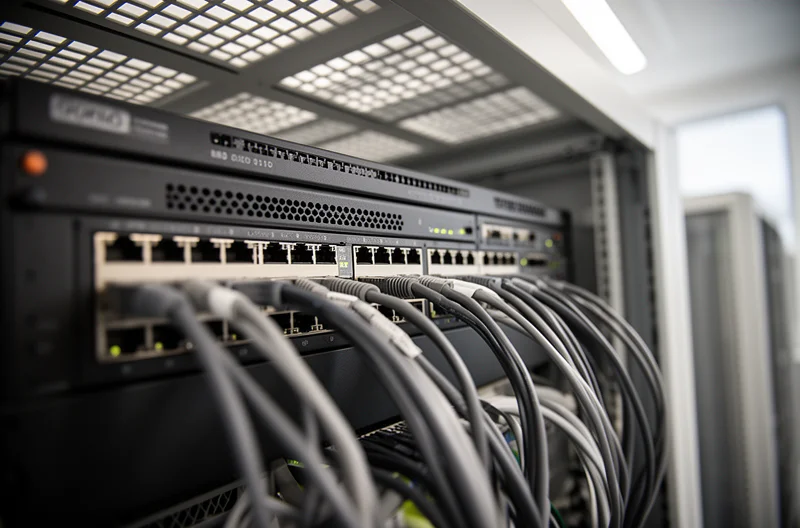
Our standard is managed Layer-2/3 switches with VLANs by function (corporate data, voice, guests, IoT, cameras, management, servers) and inter-VLAN routing policies enforced on a zone firewall (not on the core switch itself — better traceability). The brands we deploy most:
- Aruba CX 6100 / 6300 for core and access in medium offices. NetEdit-managed, easy to maintain.
- Cisco Catalyst 9200/9300 when the client is already in a Cisco ecosystem.
- Cisco Meraki MS for multi-site setups with centralised cloud management.
- HPE FlexNetwork in industrial or high-port-density scenarios.
Perimeter firewalls are almost always Fortinet (FortiGate) or Sophos XGS — the two vendors where we hold the most internal certifications and the strongest support relationship. Choosing between them comes down to integration with the rest of the client's stack (Sophos if Sophos Central is already in place for endpoints, FortiGate if there's already a Fortinet Security Fabric).
SD-WAN: one logical network for several branches

For clients with more than one location — factory + commercial offices, multi-site retail, multinationals with an Iberian footprint — we deploy SD-WAN with FortiGate Secure SD-WAN or Cisco Meraki vMX. This replaces the old point-to-point IPsec VPNs (slow, fragile, impossible to monitor) with a managed overlay that makes routing decisions based on the real-time quality of each link.
The concrete benefits the client sees:
- Automatic failover between primary fibre and 4G/5G backup in under a second.
- Per-application Quality of Service — Microsoft Teams gets priority over backup traffic, VoIP over browsing.
- Real visibility of each branch's state from a single console: latency, jitter, packet loss, bandwidth per application.
- Template-driven rollout — opening a new office is replicating the standard configuration, not redesigning the network.
Maintenance: the network starts the day we turn it on

A well-designed infrastructure that nobody looks after becomes a badly-designed infrastructure within two years. That's why our maintenance contracts include:
- 24×7 monitoring of switches, APs, firewalls and WAN links — alerts reach a technician before the user notices.
- Quarterly planned firmware upgrades, with overnight windows and rollback plan.
- Annual design review — businesses change, networks have to follow.
- Standard 9×5 SLA with sub-4-hour response time; optional 24×7 on-call for critical environments.
How we work
Every project follows the same path, no shortcuts: free initial assessment (1 hour, on site or remote) → technical audit with inventory and as-is plans (1-2 weeks) → closed-budget proposal broken down by phase → phased execution without interrupting business activity, with night or weekend windows when needed → documented handover with plans, diagrams, certifications and CMDB inventory → ongoing maintenance with quarterly reviews.
What you sign is what you get. What doesn't add value, we don't do.