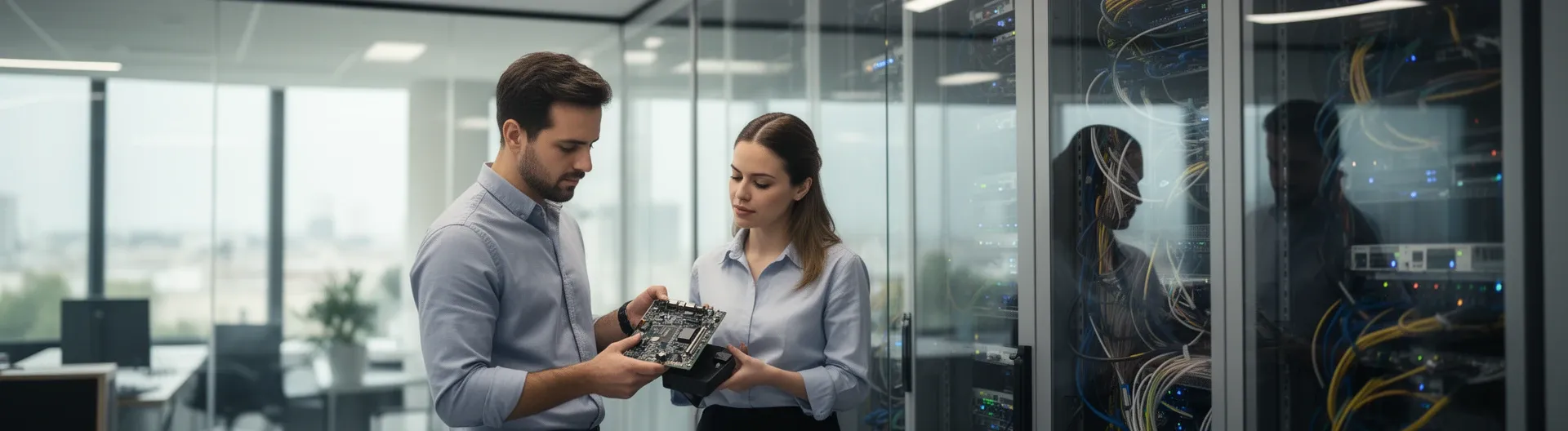

IT support in Madrid covers the full range of technical assistance businesses need to keep systems running: helpdesk incident handling, preventative maintenance, security configuration, and on-site or remote interventions. For SMEs, this means having a reliable technical partner who responds quickly, prevents downtime, and keeps infrastructure secure.
Most companies in Madrid reach out for IT support only after something breaks. That reactive approach costs more than it saves: unplanned downtime disrupts productivity, data loss events are expensive to recover from, and security gaps left unaddressed create compounding risk. The alternative is a structured support model that combines responsive helpdesk coverage with scheduled preventative maintenance — so problems are caught before they escalate.
At Impulso Tecnológico, we have spent over 25 years helping SMEs across Spain maintain available, secure, and well-managed IT environments. Our IT support service in Madrid is built around a clear process: initial audit, unlimited remote assistance, defined on-site response targets, and transparent reporting after every intervention. The result is fewer incidents, lower operational risk, and a technology infrastructure that supports business growth rather than hindering it.
What IT Support in Madrid typically includes (for businesses)
Many businesses sign an IT support contract without a clear picture of what they are actually buying. The scope varies significantly between providers: some offer only reactive break/fix assistance, others deliver a fully managed service that covers maintenance, security, and strategic consultancy. Understanding the difference matters, because the wrong model leaves gaps that only become visible when something goes wrong.
For most SMEs operating in Madrid — typically with between 3 and 150 workstations — a functional IT support service should cover at minimum: a helpdesk channel for incident reporting and resolution, scheduled preventative maintenance, basic security configuration (antivirus, backups, access controls), and a defined process for on-site intervention when remote assistance is not sufficient.
At Impulso Tecnológico, we position ourselves either as a company's external IT department or as a structured support layer alongside an existing internal team. Both models are built on the same foundation: proactive maintenance combined with responsive technical support, adapted to the real size and complexity of the business.
| Service element | Reactive break/fix only | Structured IT support (managed) |
|---|---|---|
| Incident handling | On request, after failure | Ticketing system with defined SLAs |
| Preventative maintenance | Not included | Scheduled checks: antivirus, backups, server health |
| Security configuration | Ad hoc, if requested | Built into the service: endpoint, firewall, access |
| Reporting | None or invoice only | Solution/repair reports after each intervention |
| On-site response | Billable, unscheduled | Defined response targets included in plan |
| Strategic consultancy | Not included | Ongoing advice on improvements and risk reduction |
Core scope: helpdesk, maintenance, and onboarding support
The helpdesk is the operational core of any IT support service. When a user cannot access their email, a server goes unresponsive, or a peripheral stops working, the helpdesk is the first point of contact. Effective helpdesk coverage means a clear channel to log incidents, a ticketing process that tracks progress, and a resolution report that documents what was done and why — not just a verbal confirmation that "it's fixed."
Beyond incident handling, onboarding support matters for businesses that are scaling or changing their IT environment. Setting up new workstations, configuring user accounts in Microsoft 365, or integrating a new device into the network are tasks that, without a structured process, generate unnecessary friction. A well-scoped IT support service includes this operational layer so that day-to-day IT changes do not become bottlenecks. For companies without an internal IT team, this is where an external IT department model, such as the one Impulso Tecnológico provides, delivers the most immediate value.
Remote assistance vs on-site interventions: what each covers
Remote support resolves the majority of day-to-day IT incidents without requiring a technician on-site: software errors, connectivity issues, user account problems, configuration changes, and most helpdesk tickets fall into this category. A well-equipped remote maintenance system allows technicians to access the affected machine securely, diagnose the issue, and apply a fix — often within minutes of the ticket being raised.
On-site intervention is reserved for situations where remote access is not sufficient: hardware failures, physical network issues, server replacements, or environments where security policies restrict remote access. Preventative IT maintenance — including antivirus status checks, verification of backup integrity, server health reviews, and building a complete inventory of maintained computers — benefits from a combination of both: routine checks can run remotely, while periodic on-site visits allow technicians to inspect physical infrastructure and catch issues that monitoring tools may not surface. Knowing which mode applies to which scenario, and having defined response targets for each, is what separates a professional IT support service from an ad hoc arrangement.
Service structure options: hourly packages or fixed monthly hours
How an IT support contract is structured commercially affects both predictability and the provider's incentive to prevent problems. Hourly or incident-based billing means the provider earns more when things break — which creates no financial motivation for proactive maintenance. Fixed monthly plans, by contrast, align the provider's interests with the client's: fewer incidents mean lower operational cost for both parties.
At Impulso Tecnológico, we offer flexible commercial structures to match different business needs: hourly packages for companies with lower or unpredictable support volumes, and fixed monthly plans that include unrestricted remote assistance hours — with on-site support depending on the chosen plan. Security configuration is built into the maintenance service rather than treated as an optional add-on, covering endpoint protection setup, backup configuration, and network administration and access control settings for internet and email. This means clients are not paying separately for the security hygiene that should be standard in any managed IT environment. For businesses evaluating the full cost of IT support, our guide on IT maintenance pricing covers what to expect across different service tiers.
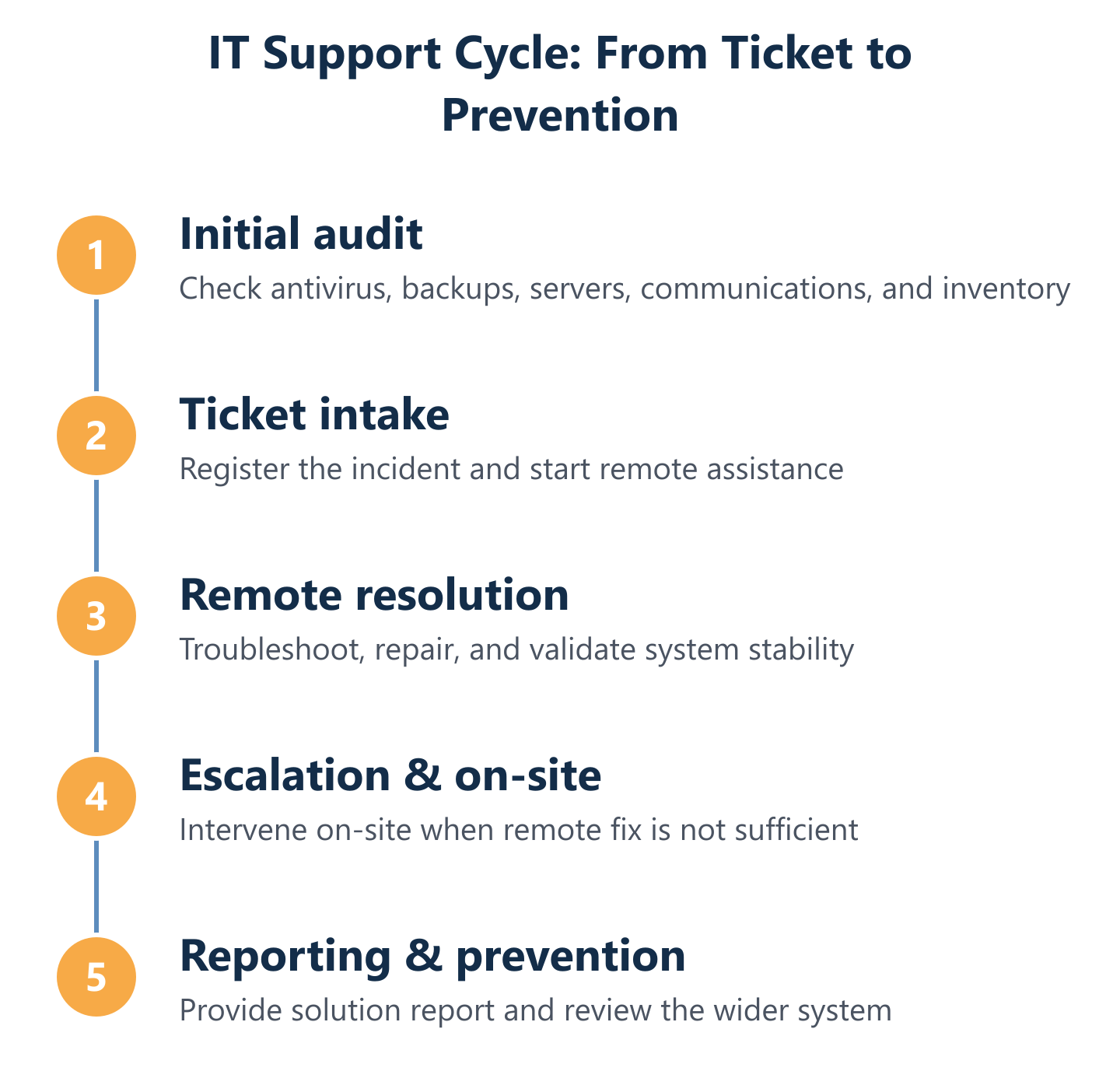
How our IT Support works (from first ticket to resolution)
A support process that is opaque to the client creates uncertainty and erodes trust. Knowing exactly what happens from the moment an incident is reported — through remote diagnosis, escalation if needed, on-site intervention, and final reporting — allows businesses to plan around their IT support rather than being surprised by it.
At Impulso Tecnológico, the support workflow follows a structured cycle that starts before the first ticket is ever raised. Every new client engagement begins with a complete audit of the relevant systems, which establishes a baseline and identifies existing risks before they become incidents. From that point, remote support runs through our maintenance system, and on-site response targets are defined to keep business operations moving even when hardware or physical infrastructure is involved. After every intervention, we also review the wider system to prevent further damage and reduce future costs — a practice that distinguishes proactive IT maintenance from simple incident resolution.
- Initial system audit: Full review of antivirus status, backup integrity, server and communications health, and a complete inventory of maintained computers.
- Ticket intake: Incident logged through the support channel with priority classification based on business impact.
- Remote diagnosis and fix: Technician connects via the remote maintenance system; most issues resolved without on-site visit.
- On-site escalation (when required): Dispatched within defined response targets — under 4 business hours for server breakdowns, under 8 business hours for other computers.
- System-wide review: After each intervention, the broader environment is checked to catch adjacent issues before they escalate.
- Resolution report: Detailed documentation of what was found, what was done, and any recommendations for the client.
- Ongoing consultancy: Technical questions answered as part of the service, not billed separately.
Step-by-step support cycle: audit, ticketing, remote fix, and follow-up
The initial audit is not a formality — it is the foundation of effective IT support. Before any maintenance contract begins, Impulso Tecnológico conducts a complete review of the systems to be supported: antivirus status across all endpoints, backup configuration and last successful recovery point, server and communications infrastructure health, and a full inventory of the computers included in the scope. This baseline serves two purposes: it identifies existing risks that need addressing immediately, and it establishes the reference point against which future changes and incidents are measured.
From the audit, the ticketing process takes over for day-to-day operations. Each incident is logged, classified by priority, and tracked through to resolution. This structured approach means nothing falls through the cracks, clients have visibility of open and closed tickets, and patterns in recurring issues can be identified and addressed at the root cause rather than treated repeatedly as isolated events. The follow-up report after each resolution is part of the standard service — not an optional extra.
Response targets in practice: urgent server breakdowns and other computer issues
Response time is one of the most commercially significant elements of any IT helpdesk in Madrid. A server breakdown that takes 48 hours to resolve can cost a business far more than a year's worth of support fees. Defined, contractual response targets remove ambiguity and allow businesses to assess the real risk coverage they are purchasing.
Impulso Tecnológico sets on-site response targets at under 4 business hours for server breakdowns and under 8 business hours for other computer issues — measured from the moment the incident is registered. Remote support through our maintenance system is available without hour caps on plans that include unlimited remote assistance, meaning routine issues and user-facing problems are addressed promptly without consuming a fixed allowance. This combination — fast remote resolution for the majority of incidents, with defined on-site escalation for critical failures — is designed to minimise idle time for employees and protect business continuity. For a broader view of how IT maintenance services are structured across different locations, our article on IT support in Barcelona illustrates how the same model applies in different Spanish markets.
Transparent outputs: solution/repair reports and ongoing technical consultancy
Every intervention in the Impulso Tecnológico support cycle generates a documented output: a solution or repair report that records what was found, what was done, and what was recommended. This is not administrative overhead — it is the mechanism that allows clients to understand their IT environment over time, track recurring issues, and make informed decisions about infrastructure investment.
The system-wide review after each intervention is equally important. When a technician resolves a specific incident, they also check adjacent systems to identify anything that could cause a subsequent failure. This practice — reviewing the rest of the environment after each support action — is what prevents the common pattern of one incident triggering a cascade of related problems. Ongoing technical consultancy is included as part of the service, so clients can ask questions about their systems, planned changes, or security concerns without those conversations being billed as separate engagements. Transparency in reporting and consultancy access are two of the clearest differentiators between a professional IT managed services provider and a simple break/fix arrangement.
Choosing the right IT Support provider in Madrid (decision checklist)
Selecting an IT support provider is a decision that affects daily operations, security posture, and long-term technology costs. The right questions to ask are not about price alone — they are about whether the provider's model genuinely reduces risk or simply responds to it after the fact.
Impulso Tecnológico differentiates through three elements that are often absent from basic IT support offerings: proactive maintenance built into the contract from day one, structured security practices that cover endpoint protection, backup integrity, firewall configuration, and network administration and access control — and flexible commercial delivery that adapts to the client's size and needs rather than forcing a rigid, one-size-fits-all contract.
When evaluating providers, use the following criteria as a minimum baseline:
- Defined SLAs and response targets: Are on-site and remote response times contractually specified, or only described informally?
- Proactive vs reactive model: Does the provider conduct scheduled maintenance and system reviews, or only respond when something breaks?
- Security depth: Is endpoint protection, backup configuration, and firewall/access management included, or sold separately?
- Reporting and transparency: Will you receive documented reports after each intervention, or only verbal confirmations?
- Commercial flexibility: Can you choose between hourly packages and fixed monthly plans, and adjust as your business changes?
- Environment compatibility: Does the provider have demonstrated experience with your specific platforms — Microsoft 365, Windows environments, your network infrastructure?
- Scalability: Can the service grow with your business, or will you need to change provider as your IT complexity increases?
- Consultancy access: Is technical advice included, or does every question outside a ticket generate an additional charge?
Pros and cons: reactive break/fix vs preventative maintenance and structured support
Reactive break/fix support has one apparent advantage: you only pay when something goes wrong. In practice, this model consistently costs more over time. Without scheduled maintenance, small issues accumulate — outdated antivirus definitions, backup jobs that have been silently failing, server drives approaching capacity — until they combine into a significant incident. At that point, the cost of emergency resolution, data recovery, and lost productivity dwarfs what preventative maintenance would have cost across the same period.
Structured IT support with defined response targets and coverage hours changes this equation. Knowing that a server breakdown triggers an on-site response within 4 business hours, and that routine issues are handled remotely the same day, allows businesses to plan operations with confidence. For companies evaluating the full cost of both models, our detailed breakdown of preventive IT maintenance for businesses provides a practical framework for calculating the real cost of each approach.
Security due diligence: endpoint protection, backups, firewalls, and access settings
IT security configuration should not be an optional module bolted onto a support contract — it should be embedded in the maintenance service from the outset. The minimum security baseline for any business IT environment covers four areas: endpoint protection (antivirus and anti-malware actively managed and updated), verified backup integrity (not just a backup job that runs, but one whose recovery has been tested), firewall configuration (including rules reviewed against current threat patterns), and access control settings for both network and email.
Impulso Tecnológico applies a defence-in-depth approach to IT security configuration: firewalls at the network perimeter, endpoint protection on individual machines, vulnerability management through regular patching and system reviews, and secure access policies for internet and email. We work primarily with WatchGuard for firewall deployments in Madrid, alongside Sophos and Fortinet for endpoint and network security. This multi-layer model means that if one control fails, others remain in place — a standard that any IT support provider operating in a business environment should be able to demonstrate, not just describe.
Commercial fit: flexible plans, clear reporting, and alignment with short- and long-term goals
A technically capable IT support provider that cannot adapt its commercial model to your business is still the wrong choice. SMEs in Madrid operate with varying IT complexity, budget cycles, and growth trajectories — a contract structure that works for a 10-person office may not suit a 100-user environment with multiple sites or hybrid working arrangements.
The practical questions to ask are: Can the provider support your specific environment — Microsoft 365 tenants, Windows workstations, your existing network infrastructure — without requiring a full platform migration first? Does the reporting model give you visibility of what has been done and what is recommended, or does it leave you dependent on the provider's interpretation? And does the contract allow for adjustment as your needs change, or does it lock you into a fixed scope for 12 or 24 months regardless of how your business evolves?
Impulso Tecnológico offers both hourly packages and fixed monthly plans, with remote assistance hours and on-site coverage adapted to the chosen tier. Our broader IT services — including network cabling, infrastructure design, and IT consulting — mean we can advise on improvements beyond the immediate support scope, providing continuity between day-to-day maintenance and longer-term technology decisions.
Finding IT support in Madrid that genuinely reduces operational risk — rather than simply responding to incidents after they occur — requires a provider with a structured process, defined response targets, and security practices built into the service from day one. If your business is ready to move from reactive IT management to a proactive model, the practical starting point is a tailored maintenance quote combined with an audit of your current systems. Impulso Tecnológico offers a free, no-obligation assessment that identifies existing gaps and recommends a maintenance plan aligned with your specific environment and business objectives. Reach out to start the conversation.