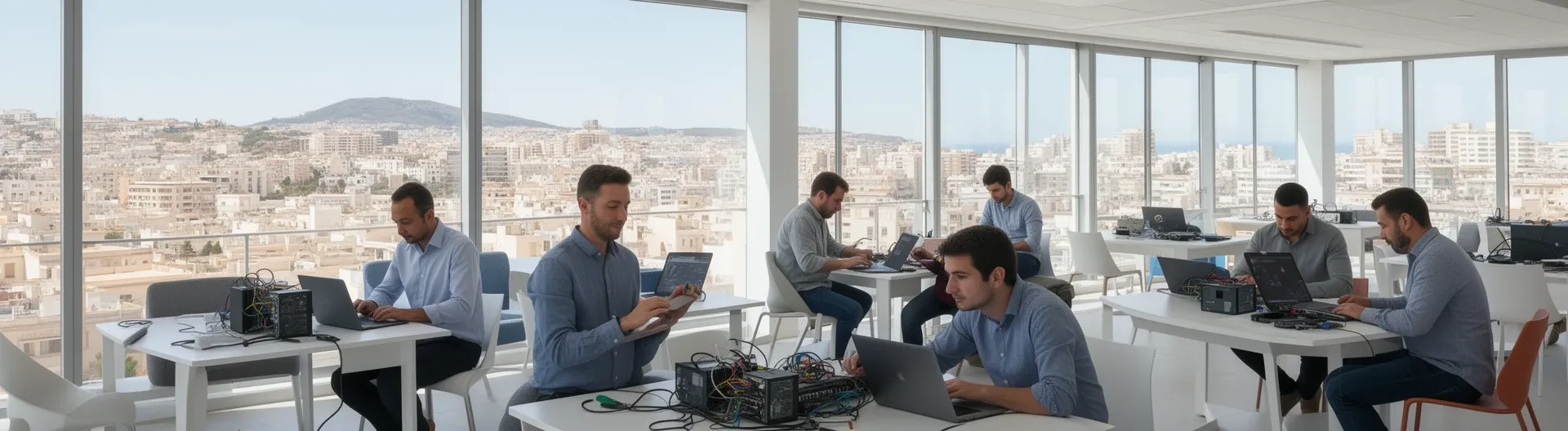

IT support in Alicante means having a technical team that resolves incidents, maintains your systems, and prevents downtime — available both remotely and on-site, with defined response times and a clear scope of service covering devices, servers, networks, and Microsoft 365 environments.
Most businesses in Alicante don't lose productivity because of catastrophic failures. They lose it to slow systems, unpatched software, misconfigured backups, and support requests that sit unanswered for hours. The real cost is cumulative: small disruptions that compound into lost working time, security gaps, and unpredictable IT bills.
Impulso Tecnológico provides IT support for businesses in Alicante and across the Costa Blanca through a structured model: an initial audit to establish a baseline, a defined scope covering everything from desktops and servers to communications and access permissions, and SLA-backed response times that match your operational priorities. Whether you need a fully outsourced IT department or a reliable complement to your existing team, the approach is the same — proactive, documented, and built around keeping your business running.
IT Support Alicante: what you get from day one
The most common complaint about IT support providers is vagueness: "we fix computers" tells you nothing about response times, what systems are covered, or what happens when a server goes down at 9 a.m. on a Monday. A professional IT support engagement in Alicante should define all of this before the first ticket is raised.
At Impulso Tecnológico, onboarding starts with a complete audit of your environment — antivirus status, backup configuration, desktop and server health, network setup, and communications. That audit produces an inventory and an action plan, which becomes the agreed scope of support. From that point, every request is handled within defined SLA windows, and every resolution includes a check of adjacent systems to catch problems before they escalate.
| Support element | What it means in practice | Why it matters |
|---|---|---|
| Initial audit | Full review of devices, servers, backups, antivirus, and communications | Establishes a baseline; no hidden problems after day one |
| Agreed scope | Documented list of systems, users, and devices under support | Prevents disputes about what is and is not included |
| SLA tiers | Under 8 hours for standard requests; faster handling for business-critical issues | Aligns response speed to operational impact |
| Resolution reporting | Written record of each ticket, action taken, and preventive observations | Creates accountability and supports future planning |
| Ongoing consultancy | Technical guidance included within the support contract | Reduces the need for separate, billable advisory calls |
Define the scope: devices, users, and systems covered (Windows, Microsoft 365, networks, servers)
A structured IT support engagement begins with a precise definition of what is under management. For most SMEs in Alicante, this means Windows workstations, one or more servers, Microsoft 365 licences, local network infrastructure, and potentially a VPN or remote access setup. Impulso Tecnológico documents every asset in a formal inventory during the initial audit — serial numbers, software versions, backup status, and security configuration included. This inventory is not a formality: it is the reference point for every subsequent support request, maintenance task, and security review. Knowing exactly what is in scope prevents the common situation where a critical system falls outside the support agreement simply because it was never documented at the start.
Onboarding workflow: audit → action plan → ticket handling and prevention checks
Once the inventory is complete, the action plan identifies immediate priorities — outdated patches, misconfigured backups, weak access permissions — and sequences remediation work before regular support begins. From that point, ticket handling follows a consistent process: request received, triaged by severity, assigned within the SLA window, resolved, and documented. Crucially, each resolution includes a brief review of related systems. If a user reports a slow PC and the technician finds that the backup job has been failing silently for two weeks, that gets flagged and fixed in the same visit or remote session. Unlimited remote support hours within the agreed scope mean that this kind of proactive checking does not generate extra charges — it is part of how the service is designed to work.
SLAs that match real operations: typical under-8-hour requests and faster handling for business-critical issues
Not every IT problem carries the same operational weight. A single user unable to print is an inconvenience; a server outage affecting the entire office is a business emergency. Impulso Tecnológico structures SLAs accordingly. Standard requests — software issues, configuration changes, individual device problems — are handled within an eight-hour window. Issues affecting servers or causing widespread disruption across the business receive faster priority handling. This tiered approach is agreed in writing before the contract starts, so there is no ambiguity when an urgent incident occurs. Security and continuity basics — antivirus configuration, backup verification, access permission reviews, and communications checks — are built into the ongoing service rather than treated as optional add-ons, ensuring that the environment stays protected between incidents rather than only after them.
On-site and remote support across Alicante (and the Costa Blanca)
The right delivery model depends on the problem, not on a preference for one channel over another. Most software issues, configuration errors, and Microsoft 365 problems can be resolved remotely in minutes. Physical hardware failures, network cabling faults, and server room interventions require a technician on-site. Impulso Tecnológico covers both, with on-site visits available across Alicante and the Costa Blanca and remote support available for everything that does not require physical access.
The operational logic works like this:
- Request received: the user submits a ticket or calls; severity is assessed immediately to determine remote vs on-site routing.
- Remote triage: a technician connects remotely to diagnose the issue, resolving it on the spot if no physical intervention is needed.
- On-site dispatch: if hardware access, cabling, or physical server work is required, a visit is scheduled within the agreed SLA window.
- Resolution and prevention check: once the primary issue is resolved, the technician reviews adjacent systems to identify related risks.
- Documentation: a resolution report is generated, logged against the asset inventory, and used to inform the next maintenance cycle.
This hybrid model means businesses in Alicante are not paying for on-site visits when a remote session will do, and they are not left waiting for a fix because the provider only works remotely. Predictable monthly contracts mean the cost of this coverage is known in advance — no surprise invoices after an urgent call-out.
Remote first, on-site when needed: diagnosing hardware, software, and connectivity issues efficiently
Remote support resolves the majority of day-to-day IT issues faster than any on-site visit could. A technician can connect to a user's machine, check event logs, reconfigure software, reset permissions, or troubleshoot a Microsoft 365 connectivity problem in the time it would take a van to cross the city. For businesses with multiple sites or staff working from home across the Alicante province, this matters enormously. Hardware faults — a failed drive, a switch with a dead port, a server that will not POST — require physical presence, and Impulso Tecnológico dispatches on-site for these cases. The diagnostic process starts remotely wherever possible to confirm the fault before scheduling a visit, avoiding unnecessary travel and reducing resolution time.
Business continuity for urgent incidents: faster response when the whole business is affected
When an incident takes down a server or disrupts connectivity for an entire office, the cost of every additional hour without resolution is measurable. Impulso Tecnológico applies a separate, faster response priority to incidents of this type — not as a premium upsell, but as a standard feature of the support contract for business-critical environments. After the incident is resolved, the post-incident review is not optional: the team checks what allowed the failure to occur, whether backup systems activated correctly, and whether any other component is showing early warning signs. This approach — resolving the immediate problem and then preventing the next one — is what separates a proactive IT support partner from a provider that simply closes tickets. For SMEs in Alicante without internal IT staff, this continuity layer is often the most valuable part of the service.
Support model fit: fixed scope vs hourly vs outsourcing, and how to choose based on complexity
Three engagement models cover most business situations. A fixed-scope monthly package suits companies with a stable, documented environment and predictable support needs — costs are controlled, SLAs are guaranteed, and the service includes unlimited remote hours within the agreed scope. An hourly model works for organisations with occasional or seasonal IT needs, though it requires a minimum purchase commitment and is less suited to environments where continuity is critical. Full IT support outsourcing is the right choice when a business has no internal IT function and needs a provider to own the entire technology layer — from infrastructure decisions to day-to-day helpdesk. Impulso Tecnológico can also act as a complement to an existing internal IT team, handling overflow, specialist tasks, or coverage during absences. The choice between models depends on device count, staff size, system complexity, and how much internal IT knowledge the business already holds. For more detail on how this works in comparable environments, see our guide to IT support services for companies in Madrid.
Choosing the right IT Support Alicante plan (and avoiding common traps)
Most IT support contracts look similar on the surface. The differences that matter — response time definitions, what is explicitly excluded, how security is handled, and what reporting you receive — are in the detail. Before committing to any provider for IT support in Alicante, run through a structured evaluation rather than comparing headline prices.
Impulso Tecnológico's methodology provides a useful benchmark. The engagement starts with an initial status check covering the full environment, produces a documented action plan, and delivers ongoing prevention as part of the standard service — not as an optional extra. Security configuration is tailored to the specific environment and industry requirements, not applied from a generic template. Resolution reports are generated for every ticket, giving you a clear record of what was done and what was observed.
When evaluating any IT support plan, look for:
- Written SLA definitions: response time, resolution time, and escalation paths — not just a general promise of "fast support".
- Explicit scope documentation: a list of covered devices, systems, and users agreed before the contract starts.
- Security inclusions: patching, antivirus management, backup verification, and access control should be standard, not billable extras.
- Reporting cadence: monthly or per-ticket reports that show what was resolved, what was observed, and what is recommended.
- Escalation clarity: a defined process for when a standard request becomes a critical incident, including who handles it and at what priority.
- Flexibility: the ability to adjust scope as your business grows, without penalty clauses that lock you into a fixed configuration.
For businesses comparing IT support options across the region, the same evaluation criteria apply whether you are based in Alicante, the Costa Blanca, or further afield — as covered in our article on IT maintenance services for companies in Barcelona.
Checklist for buyers: SLAs, ticket triage, response times, and escalation paths
Before signing any IT support contract in Alicante, request written answers to these specific questions. First: what is the defined response time for a standard request, and how is "response" measured — first acknowledgement, or first technical action? Second: how are tickets triaged — by severity, by system affected, or by queue order? Third: what constitutes a critical incident, and what is the escalation path when one occurs? Fourth: who is the named contact for escalations, and what is their availability? Fifth: what is explicitly excluded from the scope — third-party software, hardware replacement, out-of-hours requests? Providers that cannot answer these questions clearly before the contract starts are unlikely to perform consistently once it is running. Impulso Tecnológico documents all of these elements as part of the onboarding process.
Security and maintenance criteria: patching, monitoring, antivirus configuration, and backup verification
Security is not a separate service layer — it is embedded in competent IT support. Patch management should be systematic: operating system updates, application patches, and firmware updates applied on a defined schedule, not reactively after a breach. Antivirus configuration means active management of endpoint protection policies, not just installation and forgetting. Backup verification means regularly testing that backups actually restore — a backup that has never been tested is not a backup. Monitoring covers server health, disk capacity, failed services, and network anomalies, generating alerts before they become outages. Impulso Tecnológico includes all of these as standard components of the support engagement, using technologies from Sophos, Fortinet, and Veeam depending on the environment. For a deeper look at how preventive maintenance reduces long-term risk, see our article on preventive IT maintenance for businesses.
Pros and cons of common approaches: break-fix only vs proactive care plans vs full outsourcing
Break-fix support — paying per incident when something goes wrong — appears cheap until you calculate the cost of unplanned downtime, emergency call-out rates, and the absence of any preventive work. It suits very small operations with minimal IT dependency, but it is a poor fit for any business where system availability affects revenue. Proactive care plans introduce predictable monthly costs, defined SLAs, and ongoing maintenance — the economics improve significantly once you account for avoided incidents. Full outsourcing goes further: the provider owns the entire IT function, including strategic decisions, vendor management, and day-to-day operations. This is the highest-cost model but also the one that delivers the most operational certainty for businesses without internal IT capability. The right choice depends on how many devices you manage, how critical uptime is, and whether you have any internal IT knowledge to build on.
Finding IT support in Alicante that genuinely reduces downtime — rather than just responding to it — comes down to three things: a clearly defined scope agreed before the contract starts, SLAs that reflect your actual operational priorities, and a provider that treats security and maintenance as part of the standard service rather than optional extras. If your current IT support cannot answer basic questions about patch schedules, backup verification, or escalation paths, that gap is a risk. Impulso Tecnológico is ready to assess your environment, define a scope that fits your business, and deliver support with the structure and accountability that keeps operations running predictably.