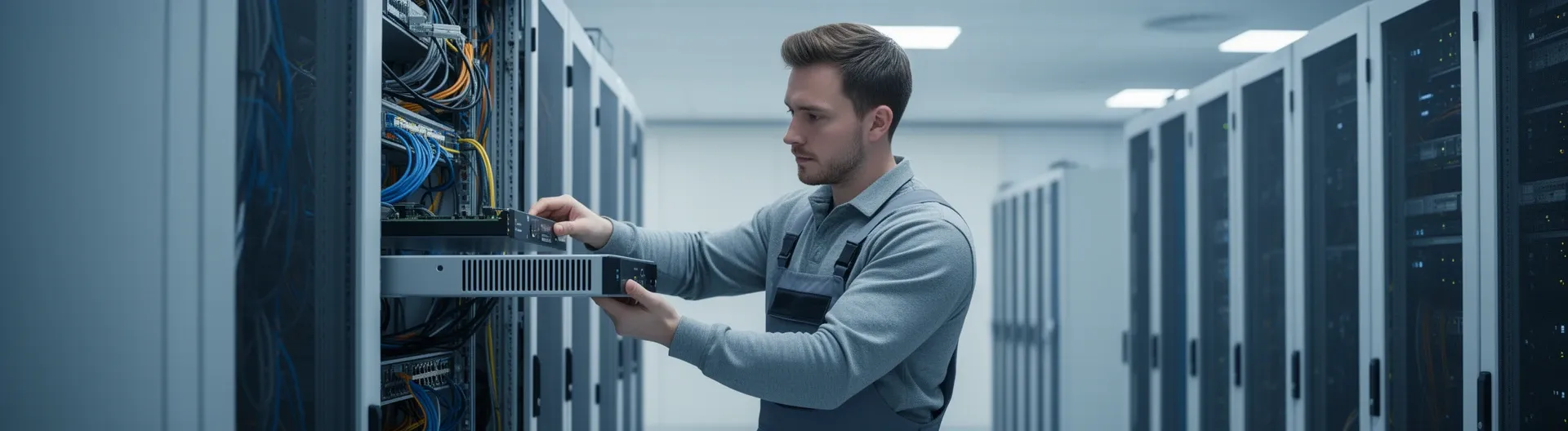

Network firewall installation is the structured process of deploying a hardware appliance, virtual machine, or cloud service at your network perimeter to inspect, filter, and control traffic between trusted and untrusted zones. Done correctly, it establishes your first and most critical layer of defence against unauthorised access and data breaches.
Most organisations treat firewall installation as a single technical event—rack the appliance, apply a default policy, and move on. That approach leaves gaps: underpowered hardware, misconfigured zones, incomplete logging, and no rollback plan. The consequences range from undetected intrusions to failed compliance audits.
A structured installation project changes that outcome. It begins with discovery—mapping subnets, traffic flows, and regulatory constraints such as GDPR—then moves through placement decisions, secure provisioning, policy build-out, and formal acceptance testing before go-live. At Impulso Tecnológico, we have delivered this process for organisations ranging from 50 to over 10,000 users across Spain, Portugal, and internationally, treating each deployment as a managed project with measurable success criteria rather than a one-off configuration task.
What "Network Firewall Installation" Means (Appliance, Virtual, and Cloud)
The term "network firewall installation" is often used interchangeably with "firewall configuration," but they are distinct phases with different deliverables. Installation covers the physical or virtual provisioning of the firewall, interface cabling or NIC assignment, high-availability (HA) design, initial firmware readiness, and the establishment of secure management access. Configuration—zones, ACLs, NAT rules, and policy objects—follows once the installation foundation is solid.
Choosing the wrong deployment model before installation begins is one of the most common and costly mistakes. An on-premises next-generation firewall (NGFW) appliance delivers the lowest latency and the highest degree of control for data-centre or office perimeters, but it requires physical rack space, power, and local expertise. A virtual firewall running on a hypervisor (VMware, Hyper-V, KVM) suits environments where hardware procurement cycles are slow or where the network is already heavily virtualised. A cloud-native firewall service—such as AWS Network Firewall or Azure Firewall—is the right fit when the workloads being protected live entirely within a VPC or virtual network and there is no on-premises perimeter to defend.
| Criterion | On-Prem Appliance | Virtual Firewall (VM) | Cloud / VPC Service |
|---|---|---|---|
| Typical use case | Office / data-centre perimeter | Virtualised DC or branch | Cloud-only workloads (AWS, Azure) |
| Throughput ceiling | Fixed by hardware SKU | Scales with vCPU/RAM allocation | Elastic (pay-per-use) |
| HA design | Active/passive or active/active cluster | VM failover or cluster | Managed by cloud provider |
| Physical installation effort | High (racking, cabling, power) | Low (OVA/template deploy) | None |
| Compliance visibility | Full log ownership | Full log ownership | Depends on cloud logging config |
| Vendors supported by Impulso Tecnológico | Fortinet, Sophos, WatchGuard | Fortinet, Sophos (virtual editions) | AWS Network Firewall, Azure Firewall |
At Impulso Tecnológico, every firewall deployment begins with a discovery phase that determines which model fits the client's infrastructure, throughput requirements, and long-term operating model—so the installation is built on the right foundation from day one.
Installation vs configuration: what changes at each stage
Installation deliverables are concrete and verifiable: the appliance or VM is provisioned and reachable on the management network; interfaces are mapped to physical ports or virtual NICs; HA peers are synchronised; firmware is at the approved version; and administrative access is restricted to a dedicated management interface with multi-factor authentication enabled. None of these depend on business rules.
Configuration deliverables are policy-driven: zones are defined, ACLs are written, NAT translations are validated, and optional services such as IPS, DNS filtering, or DHCP are enabled. Conflating the two phases means teams often skip installation hygiene—leaving default credentials in place or skipping HA testing—because they rush to write rules. Keeping the phases separate produces a cleaner audit trail and a safer go-live.
Deployment models: on-prem appliance, virtual firewall, and cloud/VPC service
A network perimeter firewall—whether appliance or virtual—sits between your internal network and an untrusted segment (the internet, a partner WAN, or a DMZ). It inspects every packet crossing that boundary. This is fundamentally different from a host-based firewall such as Windows Firewall, which protects a single endpoint, or from a cloud-native service such as AWS Network Firewall, which only protects resources inside a specific VPC.
For organisations with mixed environments—on-premises servers plus cloud workloads—the correct answer is often a combination: an NGFW appliance at the physical perimeter and a cloud firewall policy protecting cloud-resident workloads. Impulso Tecnológico has deployed this hybrid model for clients in manufacturing and professional services, ensuring consistent policy governance across both environments without duplicating management overhead.
Core components: interfaces, zones, routing, NAT, and admin access controls
Every network firewall installation involves five foundational components that must be correctly configured before any business policy is applied. First, physical or virtual interfaces must be assigned to logical zones—typically WAN, LAN, DMZ, and management—with no zone overlap. Second, routing must be validated: static routes or dynamic routing protocols (BGP, OSPF) must direct traffic to the correct next hop without creating asymmetric paths that bypass inspection. Third, NAT must be configured to translate internal RFC 1918 addresses for outbound traffic and to publish internal services securely via DNAT. Fourth, administrative access must be hardened: management interfaces should be isolated, default accounts removed, role-based accounts created, and SSH or HTTPS access restricted to specific source IPs. Fifth, logging must be enabled from day one—denied connections, authentication events, and policy changes are the minimum required for compliance and incident response.
Pre-installation Planning: Requirements, Traffic Flows, and Success Criteria
Skipping pre-installation planning is the single most common reason firewall projects overrun or fail acceptance testing. Before any hardware is racked or any VM is deployed, the project team needs a clear picture of the network it is protecting, the traffic it must permit, and the criteria by which success will be measured. Impulso Tecnológico's approach—refined across more than 25 years of IT managed services engagements—structures this phase into four sequential steps that align the firewall perimeter with real infrastructure, GDPR and compliance obligations, and stakeholder expectations.
- Asset and topology discovery: Document all subnets, IP ranges, VLANs, routing paths, and critical assets. Identify internet entry points, WAN links, and any existing firewall or NAT devices that will be replaced or retained.
- Traffic flow mapping: Catalogue inbound and outbound flows, remote-access requirements (VPN, SSL), DNS/DHCP/NTP dependencies, and business-critical application ports. This produces the raw material for zone design and ACL build-out.
- Regulatory and compliance review: Identify applicable frameworks—GDPR, PCI DSS, ISO 27001—and translate their logging, segmentation, and access-control requirements into firewall policy constraints before the first rule is written.
- Acceptance criteria definition: Agree measurable success criteria with stakeholders: throughput targets, latency thresholds, logging completeness, and rollback triggers. Without these, go-live decisions become subjective and risky.
This planning phase also determines hardware sizing. For a deployment serving around 200 concurrent users with encrypted inspection enabled, an underpowered appliance can reduce effective throughput by 60–70% compared to its headline figure—a pitfall Impulso Tecnológico specifically evaluates during the discovery stage, drawing on direct experience with WatchGuard, Fortinet, and Sophos product lines.
Discovery checklist: what information you need to start
A reliable discovery checklist covers six categories. Network topology: current subnet map, VLAN IDs, routing protocol in use, and default gateway locations. IP addressing: all RFC 1918 ranges in use, any public IP blocks assigned, and NAT translations currently active. Security assets: existing firewall rules (even if poorly documented), IDS/IPS sensors, and endpoint protection platforms such as Sophos or Fortinet. Critical assets: servers, storage, and applications that require the highest protection tier and must never be unreachable during cutover. Remote access: VPN concentrators, SSL portals, and the number of concurrent remote sessions at peak. Compliance constraints: data classification requirements, logging retention periods, and any audit reports from the previous 12 months. Collecting this information before the installation begins prevents mid-project surprises that delay go-live and increase cost. For clients who lack internal documentation, Impulso Tecnológico offers a computer network audit as a precursor to firewall deployment.
Traffic flow mapping: zones, trust boundaries, and DMZ candidates
Traffic flow mapping translates the discovery data into a zone architecture. The standard starting point is three zones—WAN (untrusted), LAN (trusted), and DMZ (semi-trusted)—but most production environments require additional segments: a dedicated management zone for firewall and network device administration, a server zone for internal application servers, and potentially a guest Wi-Fi zone with no lateral access to corporate resources.
DMZ candidates are any services that must be reachable from the internet: web servers, mail gateways, VPN endpoints, and jump hosts. Placing these in a DMZ ensures that a compromise of an internet-facing service does not grant direct access to the internal LAN. Document each flow as a tuple: source zone, destination zone, protocol, port, and business justification. This documentation becomes the authoritative input for ACL build-out and is essential for firewall logging for compliance purposes during post-installation audits.
Acceptance criteria: performance, security outcomes, and audit/logging expectations
Acceptance criteria must be written before the installation begins, not after. A useful set covers three dimensions. Security baseline: all default credentials removed; management access restricted to the management zone; deny-by-default policy active with explicit allow rules for documented flows only; no split-tunnel VPN permitting uncontrolled internet access. Performance targets: throughput under full inspection load meets the agreed minimum (e.g., 500 Mbps with SSL inspection enabled for a 300-user site); failover time in an HA pair does not exceed 30 seconds. Logging completeness: denied connection logs, authentication events, and configuration changes are forwarded to a SIEM or log aggregator with a retention period that meets the applicable compliance framework. Rollback triggers should also be defined: if any acceptance criterion is not met within an agreed window post-cutover, the team reverts to the previous device using a pre-tested restore procedure.
Deployment and Validation: Provisioning, Policies, Testing, and Go-Live
With planning complete and acceptance criteria agreed, the deployment phase can proceed in a controlled sequence. Rushing this stage—particularly skipping pre-production testing or omitting a rollback plan—is the most frequent cause of unplanned downtime during firewall cutovers. A structured checklist keeps every team member aligned and creates an audit trail that satisfies both internal governance and external compliance requirements.
Impulso Tecnológico supports firewall estates through the full deployment lifecycle: from initial provisioning and interface mapping to post-go-live monitoring, policy reviews, and threat intelligence updates. Our proactive model combines automated monitoring tools with expert human analysis to detect configuration drift and emerging threats before they affect operations—a capability that is particularly valuable in the weeks immediately after go-live, when policy gaps are most likely to surface.
Key deployment activities to complete before go-live:
- Firmware updated to the vendor-approved production release before any interface is connected to live traffic.
- Default accounts deleted and role-based administrative accounts created with the minimum privilege required for each role.
- Management interface isolated on a dedicated VLAN or out-of-band network; HTTPS and SSH access restricted to specific source IPs.
- All physical interfaces or virtual NICs labelled, documented, and assigned to the correct zone—no unassigned interfaces left in an active state.
- HA pair synchronised and failover tested in a maintenance window before production cutover.
- Baseline ACL applied: deny-by-default at the end of every zone-pair policy, with explicit allow rules for each documented traffic flow.
- NAT and routing validated end-to-end using controlled test traffic before live cutover.
- Logging forwarded to the agreed destination and verified with a test deny event.
- Rollback procedure documented, tested, and approved by the project sponsor.
Provisioning and interface mapping: from cabling/VM NICs to zone assignment
Provisioning begins before the firewall handles any live traffic. For a physical appliance, this means racking the unit, connecting console access, and verifying power and cooling within the equipment's operating specifications. For a virtual firewall, it means deploying the OVA or template, allocating the correct number of vCPUs and RAM for the licensed throughput tier, and mapping each virtual NIC to the appropriate port group or virtual switch.
In both cases, the first action after initial boot is to update firmware to the vendor-approved production release—never deploy a firewall on factory firmware in a production environment. Next, remove all default accounts, create role-based accounts with the minimum privilege required, and restrict management access to the management interface only. At Impulso Tecnológico, we apply this secure provisioning baseline to every deployment, whether the platform is a WatchGuard Firebox, a Fortinet FortiGate, or a Sophos XGS appliance.
Baseline policy build-out: ACLs, deny all, and optional security services
A secure baseline policy starts with a single principle: deny all traffic that is not explicitly permitted. Every zone-pair policy must end with an explicit deny-all rule, even on platforms that apply an implicit deny by default—the explicit rule ensures the deny is logged, which is a requirement under frameworks such as PCI DSS (requirements 10.2 and 10.3) and supports firewall logging for compliance audits.
Above the deny-all, write the minimum set of allow rules derived from the traffic flow map produced during planning. Each rule must have a documented business justification, a source zone, a destination zone, a specific protocol and port, and an associated logging action. Once the baseline is stable, optional security services—IPS signatures, web category filtering, DNS filtering, and application control—can be layered on without disrupting the foundational rule set. NAT rules must be validated separately: confirm that outbound source NAT translates internal addresses correctly and that DNAT rules for DMZ services do not inadvertently expose internal segments. For organisations seeking a broader view of their security posture, an IT security audit can validate the full rule set against your compliance requirements.
Testing and cutover: acceptance tests, rollback plan, and monitoring readiness
Testing before cutover must cover three layers. First, functional testing: verify that every documented traffic flow passes correctly and that flows not in the approved list are blocked and logged. Use controlled test traffic—not live users—for this stage. Second, vulnerability assessment: run an authenticated scan against the firewall management interface and all DMZ-published services to confirm no known vulnerabilities are exposed. For higher-risk environments, a targeted penetration test of the perimeter is advisable before go-live. Third, HA and failover testing: simulate a primary unit failure and confirm that the secondary takes over within the agreed threshold and that sessions are maintained or re-established within an acceptable window.
The rollback plan must be tested, not just documented. Restore the previous firewall configuration from backup in a maintenance window and confirm that the network returns to its pre-installation state within the agreed recovery time. Only after all three testing layers are passed should the project sponsor sign off on go-live. Post-cutover, monitoring must be active from the first minute: log forwarding verified, alerting thresholds set, and a responsible engineer available to respond to anomalies during the stabilisation period.
Network firewall installation is not a single afternoon's work—it is a structured delivery with defined inputs, verifiable outputs, and measurable acceptance criteria at every stage. The organisations that get the most from their firewall investment are those that plan the perimeter before they provision the hardware, validate the policy before they cut over live traffic, and maintain the rule set systematically after go-live. If you are planning a firewall deployment or replacing an end-of-life appliance, Impulso Tecnológico can guide you through each phase—from discovery and sizing to secure baseline configuration and post-installation monitoring—ensuring your network perimeter security is both robust and audit-ready. Explore our approach to cybersecurity services in Madrid or review how an IT security plan can frame your broader security posture before the installation begins.