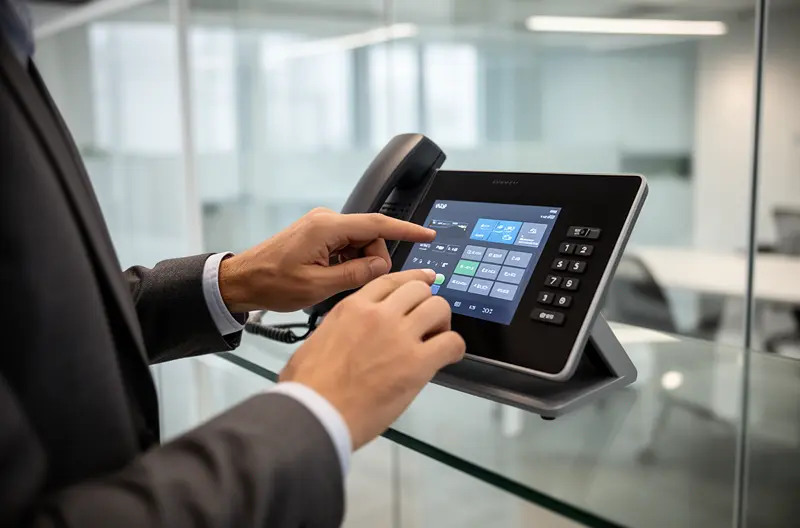

Business phone system installation covers hardware provisioning, call routing configuration, voicemail and auto attendant setup, number porting, and integration with CRM and collaboration tools. Done correctly, it delivers a communications platform that supports your operations from day one—without service interruptions during cutover.
Most installation projects stall or overrun because the scope is underestimated at the outset. Organisations assume installation means plugging in handsets, when in reality it spans network readiness, extension mapping, call flow design, user training, and a structured migration plan. Miss any of these layers and you risk poor call quality, misdirected calls, or a cutover that disrupts live operations.
The solution is a disciplined, end-to-end approach: define requirements before touching hardware, validate the network before provisioning, configure call flows before going live, and test systematically before cutting over. The result is a phone system that works reliably from launch, scales as your business grows, and integrates with the tools your teams already use. This guide walks through every stage—from initial planning to post-cutover optimisation—so you can approach your installation with a clear, measurable plan.
What "Business Phone System Installation" Really Includes (and Who Handles What)
The phrase "business phone system installation" is deceptively broad. For a small office, it might mean provisioning a handful of IP handsets and configuring a cloud PBX. For a mid-sized company with multiple sites, it involves network segmentation, IP telephony deployment across locations, number porting from an incumbent carrier, CRM integration, and a phased cutover plan. Treating these as the same project is where most installations go wrong.
At its core, a complete installation covers four layers: physical hardware (handsets, headsets, gateways, and cabling), system configuration (extensions, call routing, voicemail, and auto attendant), integration (CRM, Microsoft 365, collaboration platforms), and migration (number porting, extension mapping, and cutover coordination). Each layer has distinct technical owners, and gaps between them—particularly between the telecoms installer and the internal IT team—are the most common source of delays and quality issues.
Impulso Tecnológico addresses this by acting as distributor, installer, and authorised technician in a single engagement. Rather than handing clients between parties, our managed services background means the phone system installation sits within a wider IT context—network, security, and user management are considered from the start, not retrofitted after go-live. This is especially relevant for organisations running hybrid environments where legacy analogue or digital switchboards need to coexist with new IP telephony infrastructure during transition.
| Installation Layer | What It Covers | Typical Owner | Common Risk if Skipped |
|---|---|---|---|
| Physical Hardware | Handsets, gateways, cabling, PoE switches | Installer / IT team | Incompatible devices, poor audio quality |
| System Configuration | Extensions, call routing, voicemail, auto attendant | Installer / telecoms engineer | Misdirected calls, dead extensions |
| Integration | CRM sync, Microsoft 365, collaboration tools | IT team / MSP | Broken workflows, duplicate data entry |
| Migration | Number porting, extension mapping, cutover | Installer + carrier coordination | Service interruption, lost numbers |
Installation scope: from handsets to call routing
The hardware layer begins with selecting and provisioning the right devices—IP handsets, analogue telephone adapters (ATAs) for legacy equipment, PoE switches, and any physical PBX or gateway appliances. Once hardware is in place, system provisioning assigns each device an extension, configures SIP credentials, and connects the system to the chosen telephony provider or on-premise PBX.
Call routing configuration is where the real operational value is defined: inbound call flows, hunt groups, ring strategies, time-based routing (business hours vs. out-of-hours), and department queues. Voicemail and auto attendant setup—often underestimated—requires scripting greetings, mapping menu options, and testing every routing path before go-live. For multi-site deployments, inter-site routing and centralised management add further configuration complexity that must be scoped explicitly from the outset.
Integration scope: CRM, collaboration, and user workflows
Modern business phone systems rarely operate in isolation. CRM integration for telephony—connecting the phone system to platforms such as Salesforce, HubSpot, or Microsoft Dynamics—enables click-to-dial, automatic call logging, and screen-pop functionality that directly reduces manual data entry and improves customer interaction quality. This integration layer must be scoped during planning, not added as an afterthought, because it affects both the choice of telephony platform and the configuration of user accounts.
Collaboration integration—particularly with Microsoft 365 and Teams—is increasingly central to cloud telephony setup. Organisations using Teams as their primary communication hub may route external calls directly through Teams Phone, which changes the provisioning model entirely. User workflow mapping (who needs softphone access, who works remotely, which teams share call queues) should be documented before any configuration begins to avoid rework during the installation phase.
Responsibility model: what IT vs installer should own
One of the most overlooked aspects of a phone system installation is the handoff between the telecoms installer and the internal IT team. The installer typically owns hardware provisioning, SIP configuration, call routing, and carrier coordination. The IT team owns network readiness (VLANs, QoS policies, firewall rules for SIP/RTP traffic), user account management, and integration with internal systems.
Where these responsibilities overlap—particularly around firewall and NAT configuration for VoIP traffic, and user directory synchronisation—gaps cause the most problems. A clear RACI (Responsible, Accountable, Consulted, Informed) document agreed before installation starts prevents finger-pointing when issues arise. Ongoing responsibilities also need defining: who handles extension reprogramming when staff change roles, who manages firmware updates on handsets, and who coordinates with the carrier for number porting or service changes. Impulso Tecnológico's model as both installer and MSP means these ongoing tasks remain within a single point of accountability.
Pre-Installation Planning Checklist (IT & Business Requirements)
Skipping structured pre-installation planning is the single most reliable way to turn a straightforward IP telephony deployment into a drawn-out, expensive remediation project. Network issues discovered after provisioning, incompatible devices identified during testing, or call flows that don't match actual business processes—all of these are avoidable with a disciplined planning phase.
Impulso Tecnológico applies the same IT-managed services discipline to installation planning that we use across infrastructure projects: validate readiness before committing to configuration, define measurable acceptance criteria before go-live, and document a rollback plan before cutover. The following checklist combines IT technical validation with business requirements discovery, covering the areas that most installation guides treat separately.
- Audit current infrastructure: Document existing handsets, cabling, switches, and any legacy PBX or analogue equipment that must coexist with or be replaced by the new system.
- Map business call flows: Define inbound routing, departments, hunt groups, out-of-hours behaviour, and escalation paths before any configuration begins.
- Assess network readiness: Measure available bandwidth, check latency and jitter on the WAN link, confirm PoE switch capacity, and identify VLAN and QoS requirements for voice traffic.
- Validate device compatibility: Confirm that planned IP handsets, ATAs, and softphone clients are supported by the chosen PBX or cloud telephony platform.
- Identify integration requirements: List CRM, collaboration, and directory systems that must connect to the phone system, and confirm API or native integration availability.
- Define acceptance criteria: Agree measurable pass/fail tests for call quality (MOS score targets), routing correctness, and failover behaviour before installation begins.
- Prepare a rollback plan: Document the steps to revert to the existing system if cutover fails, including carrier contact details and porting reversal procedures.
Requirements discovery: call flows, users, and multi-site needs
Requirements discovery is not a form-filling exercise—it is the process of translating how your business actually handles calls into a technical specification. Start by interviewing department heads and reception staff: how do inbound calls arrive, who answers them, what happens when the primary contact is unavailable, and how are calls transferred between teams or sites?
For multi-site phone systems, the complexity increases significantly. Each location needs its own extension range, local routing rules, and potentially local PSTN breakout. Mobile users and remote workers add further requirements: IP switchboards with mobile extensions allow staff to remain reachable on their office number regardless of location, which is a key capability for distributed teams. Document every scenario—including edge cases like out-of-hours emergencies and temporary staff—before moving to configuration.
Technical validation: network, devices, and compatibility checks
VoIP call quality is directly dependent on network conditions. A connection that works perfectly for web browsing or email can produce unacceptable audio quality for voice if latency exceeds 150ms one-way, jitter exceeds 30ms, or packet loss rises above 1%. Before any PBX installation or cloud telephony setup begins, run dedicated voice quality tests on the network path between sites and to the chosen SIP provider.
Firewall and NAT configuration deserves particular attention: SIP ALG (Application Layer Gateway) on consumer-grade routers frequently causes registration failures and one-way audio—it should be disabled on any router handling VoIP traffic. PoE switch port capacity, VLAN tagging for voice traffic separation, and QoS DSCP marking for RTP streams must all be confirmed before handsets are provisioned. Device compatibility checks should verify firmware versions against the PBX platform's supported device list, not just brand compatibility.
Risk controls: acceptance criteria, rollback, and cutover readiness
Acceptance criteria turn a subjective go/no-go decision into an objective one. Before cutover, define specific pass conditions: all extensions register successfully, inbound calls route correctly to each department, out-of-hours routing activates at the correct time, voicemail records and delivers messages, and call quality meets a minimum MOS (Mean Opinion Score) of 4.0 on internal and external calls.
The rollback plan is equally important and is frequently absent from installation projects. Document the exact steps to revert to the previous system: which carrier circuits to reactivate, which handsets to reconfigure, and who has authority to trigger the rollback. For number porting specifically, confirm with the losing carrier how long porting can be reversed and under what conditions. Cutover readiness should be confirmed in a pre-cutover checklist signed off by both the installer and the IT lead, with a defined maintenance window and communication plan for affected staff.

Installation, Configuration Steps, and Cutover Testing for VoIP/UCaaS
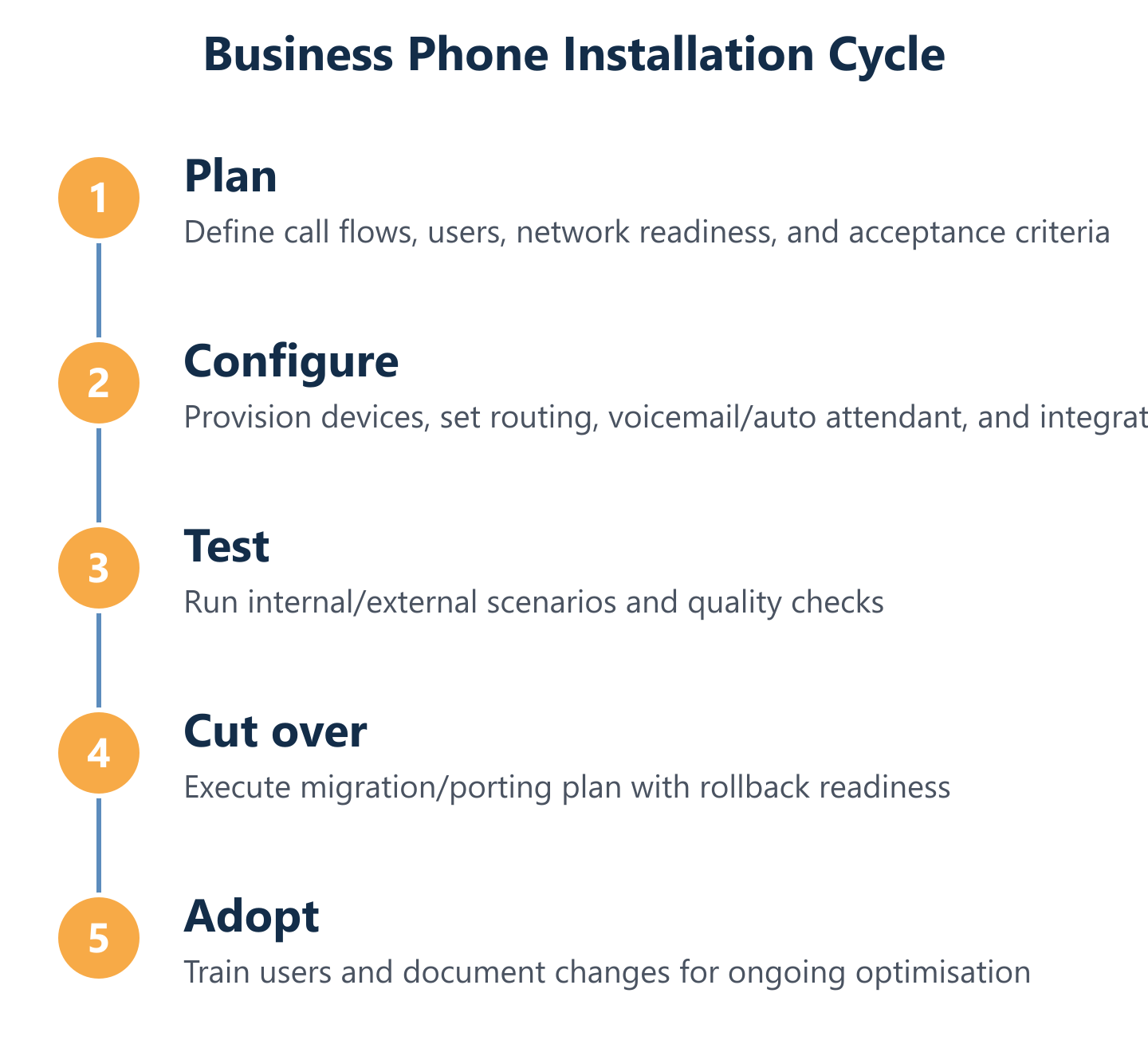
With planning complete and network readiness confirmed, the installation sequence follows a logical progression from physical to logical to operational. Rushing any stage—particularly skipping structured testing before cutover—is the most common cause of post-go-live incidents that damage confidence in the new system.
Impulso Tecnológico's approach as distributor, installer, and authorised technician for many switchboard platforms—including Alcatel Lucent, NEC, Panasonic, Siemens, Asterisk, and others—means we can support both traditional PBX installation and modern IP telephony deployment within the same engagement. Critically, we support phased transitions: organisations that cannot risk a full cutover can run legacy analogue or digital systems in parallel with new IP infrastructure, migrating extensions progressively rather than in a single high-risk switchover.
The configuration and testing phase is where the planning work pays off. Every call flow documented in the requirements stage becomes a test case. Every integration mapped during discovery gets validated end-to-end. The result is a system that goes live with evidence of correct behaviour, not just an assumption that it works.
- Provision hardware first: Rack or mount physical equipment, connect PoE switches, and confirm all handsets power on and register to the PBX before any call routing is configured.
- Configure extensions and user accounts: Assign DDIs, set up SIP credentials, and synchronise with the user directory (Active Directory or Microsoft 365) where applicable.
- Build call routing and auto attendant: Programme inbound call flows, hunt groups, time-based routing, and IVR menus based on the documented requirements.
- Set up voicemail and notifications: Configure voicemail-to-email, greeting recordings, and PIN policies for each user and shared mailbox.
- Complete CRM and collaboration integrations: Connect the telephony platform to CRM systems and Microsoft 365 or Teams, then validate click-to-dial and call logging functionality.
- Run structured acceptance tests: Execute every test case from the acceptance criteria document before declaring readiness for cutover.
- Execute cutover with rollback on standby: Port numbers, update carrier routing, and confirm live call handling—with the rollback plan ready to activate if any critical test fails.
From hardware to system setup: provisioning and call flows
Provisioning begins with the PBX or cloud telephony platform: create the tenant or system instance, configure SIP trunks to the carrier, and set codec preferences (G.711 for quality on reliable connections, G.729 where bandwidth is constrained). Once trunks are active and registered, provision extensions in batches—assigning each user a DDI, internal extension, voicemail PIN, and display name.
Call routing configuration should follow the documented call flow diagrams exactly. Programme the auto attendant greetings and menu options, configure hunt groups with the agreed ring strategy (sequential, simultaneous, or round-robin), and set time conditions for business hours and out-of-hours routing. Test each routing path in isolation before combining them into the full inbound flow. For organisations exploring VoIP for businesses, this provisioning stage is where the operational benefits of IP telephony—flexible routing, remote extensions, and centralised management—become tangible.
Testing & acceptance: quality, routing correctness, and edge cases
Structured testing is the difference between a phone system that works in the lab and one that works in production. Execute tests in three tiers: internal calls (extension to extension, including transfers and conference calls), external calls (inbound and outbound on each DDI, including mobile termination), and edge cases (out-of-hours routing, voicemail fallback, call queue overflow, and failover if the primary SIP trunk drops).
For call quality, use a dedicated testing tool or a MOS measurement application to score audio quality on representative call paths—not just a subjective "sounds OK" assessment. Document the result of every test case with a pass/fail outcome and the tester's name. Any failure should trigger a configuration review and retest before the cutover date is confirmed. Edge cases are particularly important for multi-site phone systems, where inter-site routing failures may not be obvious until a specific scenario is triggered in live operation.
Number porting & migration: cutover plan and minimal-interruption approach
Number porting is the stage that most directly affects business continuity. The process involves submitting a porting request to the gaining carrier, who coordinates with the losing carrier to transfer the number. In the UK and Spain, residential and business number porting typically completes within 1–5 working days for geographic numbers, but complex or multi-number requests can take longer—plan accordingly.
To minimise interruption, port numbers outside peak business hours and confirm with the gaining carrier the exact activation window. During the porting window, configure the new system to handle calls on the ported numbers and keep the old system active in parallel until porting is confirmed complete. For organisations with existing switchboard installations or those managing installation and maintenance of telephone systems, Impulso Tecnológico coordinates the full porting and cutover sequence, including reprogramming legacy equipment where a phased migration is required rather than a full replacement.
A business phone system installation succeeds or fails in the planning and testing phases—not during the cutover itself. Choose the setup type that matches your operational reality: a cloud PBX for distributed teams, an on-premise IP switchboard for high-call-volume environments, or a hybrid approach that preserves existing infrastructure while adding VoIP capabilities. Then install with a structured configuration sequence, measurable acceptance tests, and a documented rollback plan. When every routing path has been tested, every integration validated, and every user trained, go-live becomes a controlled event rather than a gamble. The phone system your business deserves is one that works reliably from day one—and continues to work as your organisation grows and changes.